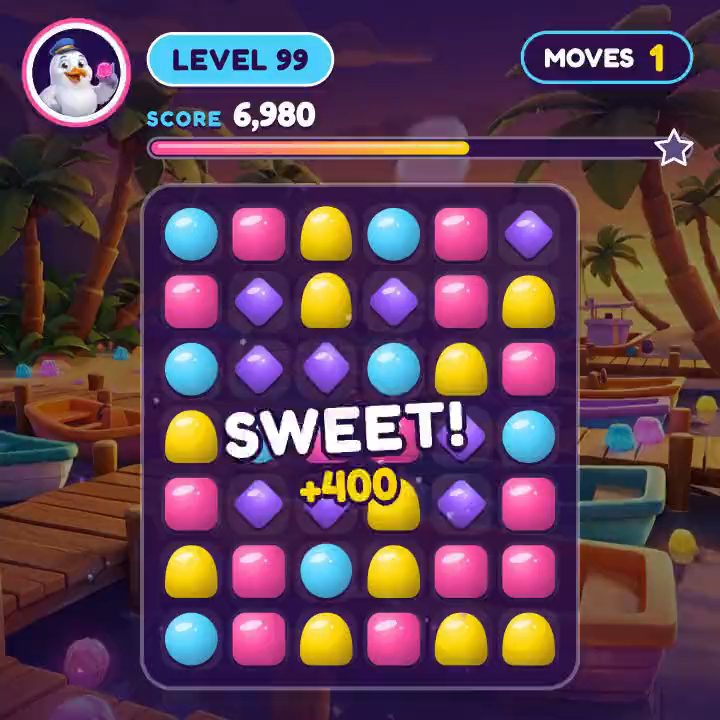
One of the ads the UK's Advertising Standards Authority banned on 4 November 2026 used real gameplay. It was a Farm Heroes Saga ad from King, and the match-three board was the actual game. Then a saw came down toward a cow. The ad carried a "Not actual gameplay" label, and the ASA said the label was likely to contradict rather than clarify. A Pixel Flow ad opened with a hand cursor the game doesn't have. Dark War Survival's Google ads showed story sequences in graphics that "differed materially" from the game (MobileGamer.biz). The investigator put the rule in one line: ads must give people an accurate impression of the gameplay they can expect (Time Extension).
King and Scopely are among the largest publishers in mobile games. The rulings show how easily an install ad drifts from the game it's selling, and they arrived just as the fastest-growing way to make install ads is a tool that builds them without the game.
Dark War Survival, the instructive case
A year before the ban, Dark War Survival's AI work was a model for the category. AppMagic was tracking its AI "turn-around" transitions and Miyazaki-style sequences at more than 4 million impressions a month (AppMagic). The same report shows the version that holds up. Match Factory! uses AI visuals only in the opening, then cuts to real gameplay, and Idle Lumber Empire's AI intros in front of its own footage took monthly installs from 1.6 million to more than 3.7 million. The generated part sells the hook, and the gameplay keeps the promise.
An ad that shows a different game can win on cost per install. The bill comes later, when players who expected something else leave in the first session and the reviews say so. Generated footage makes that trap easy to fall into without meaning to, because a model can draw a level, an effect or a pose the game doesn't have, and it looks finished. Captured gameplay anchors the ad in the actual game, but as the Farm Heroes ruling shows, the opening, the overlays and the edit can still promise what the game doesn't do, so they need checking too.
The shortcut
The promise of link-to-video tools is volume without production. Creatify builds video ads from a product link, often around an AI presenter, and other generators turn a product photo into a video. They were made for products that sell on a picture and a sentence. A 2026 review of Creatify recommends it mainly for simple consumer products with strong visuals and expects 40–60% of what it makes to be edited or thrown away (Fast.io).
A game is the opposite case. What sells it is how it plays, the tension of a level or the moment a board finally clears. A link-to-video tool only has what's on the store page, so it can't show the moment the team knows converts, and an AI presenter can talk about the game without the viewer ever seeing it.
Tools built for studios do start from the game. Sett's agents design and iterate playable and video ads from a studio's data and assets, with Sett's team running the agents and the studio approving the output. That gets ads made, while the choice of which moment to show sits with the agent and the vendor (Motn vs Sett).
Building around the capture
The alternative is to treat the gameplay as the one part of the ad that nothing touches. In Motn the capture goes in as footage, whether it's from the build, a screen recording or a clip the team already cut, and stays in the shared library exactly as captured; no step generates it again. The team picks the moments worth leading with, a near-fail, a satisfying clear, a boss that looks impossible, since nobody knows which moment converts better than the people who play the game every day.
AI does the work around those moments: the opening shots that lead into the gameplay, the hook text, and motion graphics such as a counter, a timer or an "Only 1% pass this level" line. The offer and the end card sit on top as live text. Each placement gets its own layout, so the board stays readable in 9:16 and the score doesn't slide under the caption, and each market gets its text translated with the layout reflowing around it.
One capture gives many openings. The same footage can start at different moments, each paired with different hook text, and the team can test ten openings instead of two before putting real spend behind any of them. Apps work the same way, with screen recordings of the feature or the paywall in place of a level (product demos), and trailers and cinematics the studio already owns can carry ads too.
When next week's build adds a level or an event, the new capture goes into the same workflow, and each week's ads still show the game players will find in the store.
Where to start
Take the capture behind your best install ad of the last month and the moment in it you think carries the ad. Build ten openings from that footage, in every placement your campaigns run, and test them against the ad you already have. Before any of them ships, check the openings and overlays against the November rulings: nothing in the first three seconds should promise a mechanic, a hand or a scene the game doesn't have. More for studios is in Motn for games, or try it on your own footage with the $10 Try pack.