A brand guide records colours, fonts and logo rules. It rarely records the judgment behind them: which colour goes behind text, how large the price should be beside the headline, how the logo enters, or when a title should stop moving. Those calls live in the senior's head and in the files they made, and a junior learns them one correction at a time.
The judgment that gets lost first is motion. Colour, type and components have tokens and libraries, but motion, as LottieFiles puts it, lives in scattered files, Slack threads and one-off exports, and every animator rebuilds it with slightly different values, approximating easing curves and ignoring durations (LottieFiles). In a video ad, motion is on screen the whole time. A logo that snaps in where the brand always eases looks wrong to anyone who knows the brand, even if every colour and font is right.
That used to be a training problem. With AI making most of the ads, it's a scale problem.
Why AI widens the gap
Most ads are now made by juniors, marketers and AI, and a weekly batch of 48 versions is more than one senior can check frame by frame. So the senior becomes the last reviewer, catching the wrong blue, the logo too close to the edge and the title that bounces when the brand never bounces, after the ad is made. UA consultant Claire Rozain names what happens when nobody catches it: AI volume without clear execution "leads to fragmentation and brand dilution" (PocketGamer.biz).
AI reads a brand the way a new hire does, from the files and none of the reasons. Robin Cannon of Knapsack argues that models treat components as the source of truth while the decisions behind them were never written down, so an agent picks a near-match button or a spacing value from one of three conflicting sources. He cites zeroheight's 2026 report: 56% of teams use AI in design-system work, and only 15% say it lives up to the hype (UXDX). Nemanja Pantelic of VML puts the fix at the start: a brand's difference has to be built into the system before anything is generated, because a final review can't rescue a generic starting point (IPA).
What on-brand features store
Most on-brand features in AI tools store the visible half. A brand preset holds the colours, fonts and logo and applies them to a template or a generation, which keeps the obvious things right, and Meta is building the same idea into its own ad tools as Brand Memory (Hawky). A preset doesn't hold the senior's motion, the way the logo sits differently in a square and a tall frame, or the rule that the price is never smaller than the headline. Enterprise systems cover the rest with approval steps, which puts the senior back to reviewing, inside a tool.
Keeping the other half
The other half can be kept if it's stored as something a junior uses rather than something a junior reads. In Motn the senior sets up a brand library for each product or brand once: colours and fonts, the logo and its rules, the type sizes for headlines, prices and small print, and the motion style. Each project opens inside its own library, so a team working on two games never mixes their palettes.
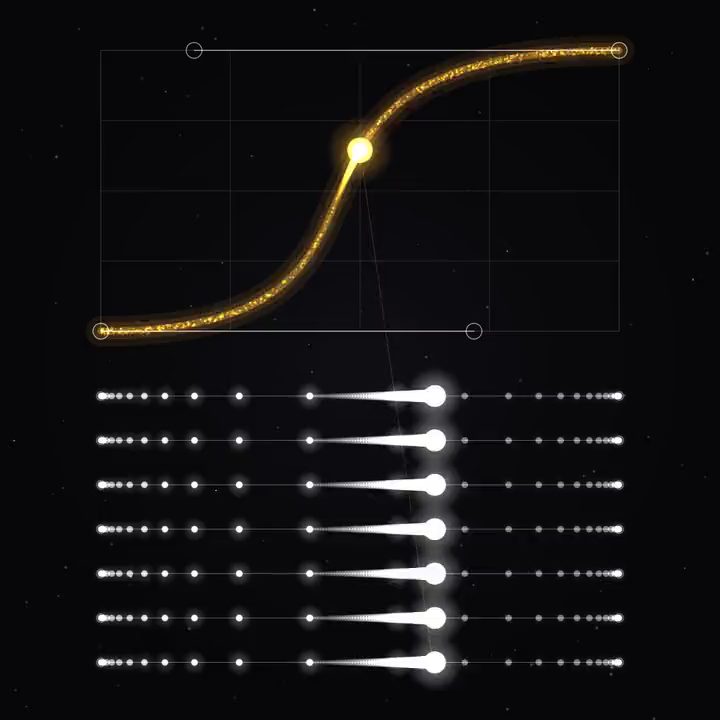
Motion is where this differs most from a preset. Motion graphics in Motn are live code, and the easing, the durations and the way elements enter and leave are values in that code. When the senior builds the logo reveal, the end card and the title animations, they go into the shared motion library with those values intact. A junior who drags the logo reveal into a new ad gets the senior's reveal, not an approximation, and AI generating a new title animation works from the same values.
The workflow carries the rest. The senior makes the first ad of a kind and saves the canvas, and every step keeps its prompt, its model, its references and the take that was chosen. A junior runs the next brief through it, and the steps are set up again inside the senior's choices. The junior still makes real decisions, picking takes, openings and words, from options that are already on brand. The same holds when a team starts from someone else's design, as long as it makes the starting point its own.
Why checking afterwards is too late
A review at the end catches a mistake after the hours that produced it are spent, and it teaches only the person whose ad was sent back. The next junior makes the same mistake next week, because the correction lived in a comment on someone else's file.
Corrections should go where they'll be used again. If the senior sees that the logo sits too low in 9:16, the fix goes into the workflow, and every ad that runs through it after that has the logo in the right place. If the end card feels rushed, the senior changes the value in the motion library, and every ad using that end card gets the new timing. Review time moves from catching repeats to making new decisions, and what review remains happens on the live canvas.
Start with the ad your team makes most often. Let the senior build it once, with the brand library filled in and the motion saved, then hand the next brief to a junior and compare what comes back. Agencies running several brands, each with its own library, will find more in Motn for agencies. The idea behind all of this is in Don't rebuild. Build on.